

XMARTO RPT20 WiFi Security Camera Repeater/Range Extender - Works for XMARTO Plug-in WiFi Cameras and NVR with ver. 3.0+ (Works for Plug-in WiFi Cameras, Does Not Work for Solar Cameras)
Product details
| Management number | 212354010 | Release Date | 2026/04/06 | List Price | $15.60 | Model Number | 212354010 | ||
|---|---|---|---|---|---|---|---|---|---|
| Category | |||||||||
This is the RPT20 WiFi repeater for xmartO WiFi security cameras. Please follow the manual to do settings. Contact support@xmarto.com if you need assistance.
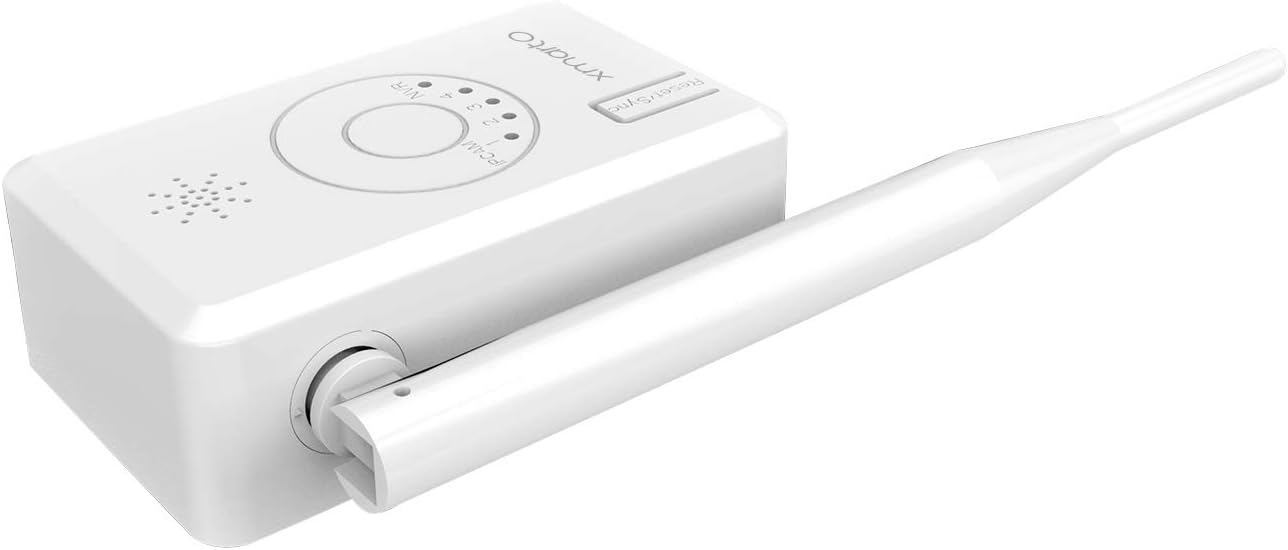
- This is WiFi camera range extender/ repeater for xmartO WiFi NVR camera systems (Works for Plug-in WiFi Cameras, Does Not Work for Solar Cameras). By placing this repeater in the route between the NVR and cameras, it automatically connect those cameras with weak signals and relay to the NVR for stable connection. (Auto WiFi Relay works for G3 systems, manual WiFi relay for G2 systems).
- 【For All systems】Pair to NVR - bring the repeater close to the NVR, hold sync button for 10 seconds, repeater pairs to the NVR. When it's done, the 'NVR' LED stays on. (this is the basic step needed no matter what your system version is)
- 【For G3 camera systems】Place it for Auto WiFi Relay - if your system is G3 (NVR version 3.0.7+, camera version 3.2+), you simply bring this repeater and plug it somewhere in the route NVR to cameras. Within seconds it connects to NVR with 'NVR' LED stays on; within dozens of minutes it detects connection status of close-by cameras; then connects to weak-signal cameras and relay back to the NVR. If cameras have acceptable connections to the NVR itself, it will not change the connection status.
- 【For G2 camera systems】Manual setting for G2 camera systems (NVR version 2): if camera A has intermittent connection to NVR, plug the repeater to somewhere in the route from NVR to camera A, then go to Camera Manage - WiFi Relay, add camera A behind repeater. When you do this setting, the camera A needs good connection to NVR so it receives commands from the NVR. That means, if camera A was having poor connection to the NVR, you better to take it down to complete settings and then mount back.
- 【View connection status】In NVR's menu - Camera Manage - WiFi Relay, you can find the cameras' connection status. Make sure the Auto WiFi Relay is checked.
| UPC | 655887203756 |
|---|---|
| Brand | xmartO |
| Color | White |
| Range | Yes mile |
| Manufacturer | xmartO |
| BuiltIn Media | Instruction manual |
| Connector Type | RJ45 |
| Compatible Devices | Security Camera |
| Wireless Compability | 802.11n |
| Frequency Bands Supported | 2.4 GHz or 5 GHz |



Bestseller ranking
Repeaters


Customers who viewed this product also viewed
Gamepads & Standard Controllers


Correction of product information
If you notice any omissions or errors in the product information on this page, please use the correction request form below.
Correction Request Form